Clients or group companies, deadlines and team in one place.
Studio is the plan for those who follow several entities at once: a professional firm with its clients, a parent company with its subsidiaries. The owner sees everything, each collaborator sees the matters assigned to them, and each client or company has its own card.
from €99.99 per month + VAT, on quote
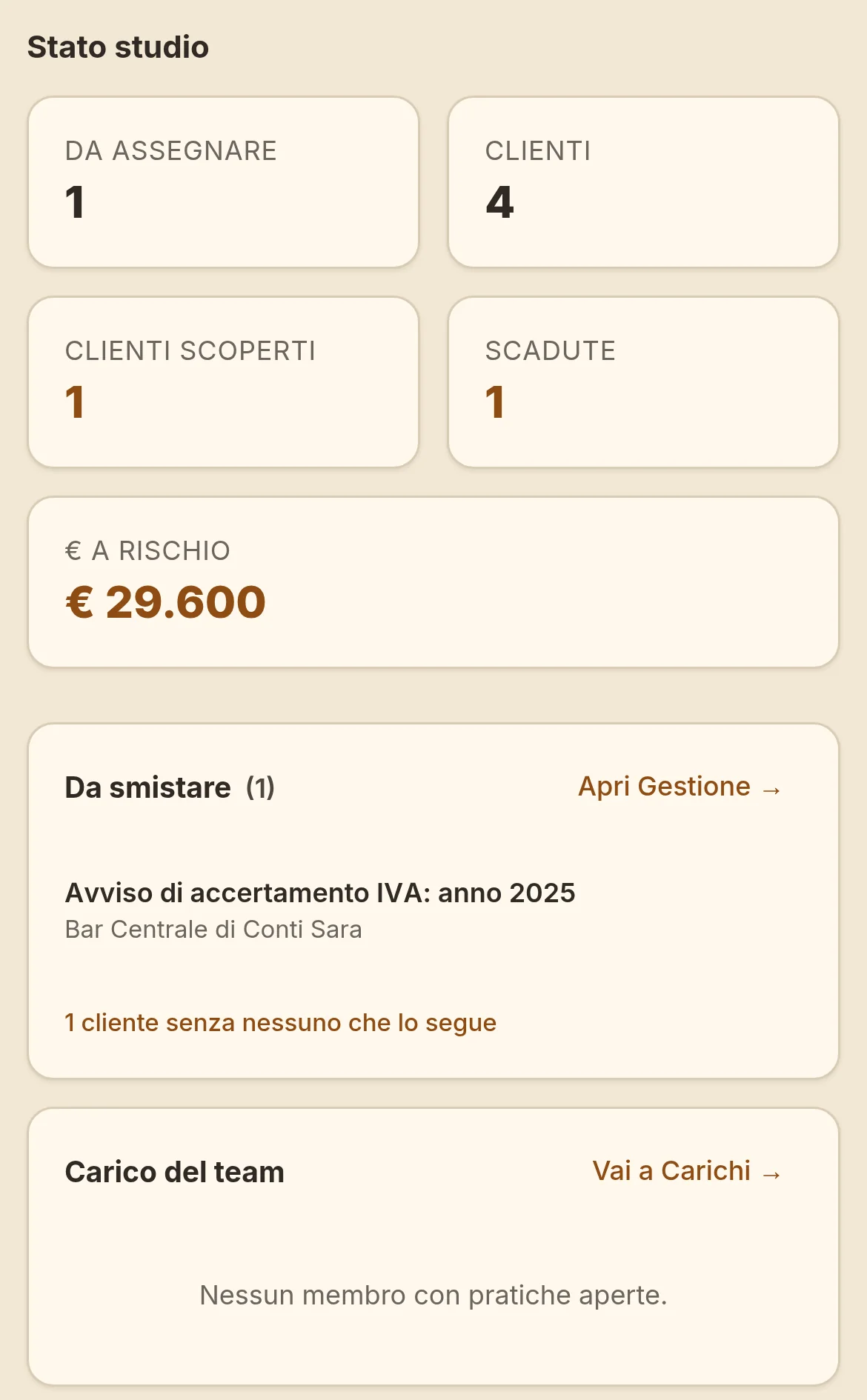
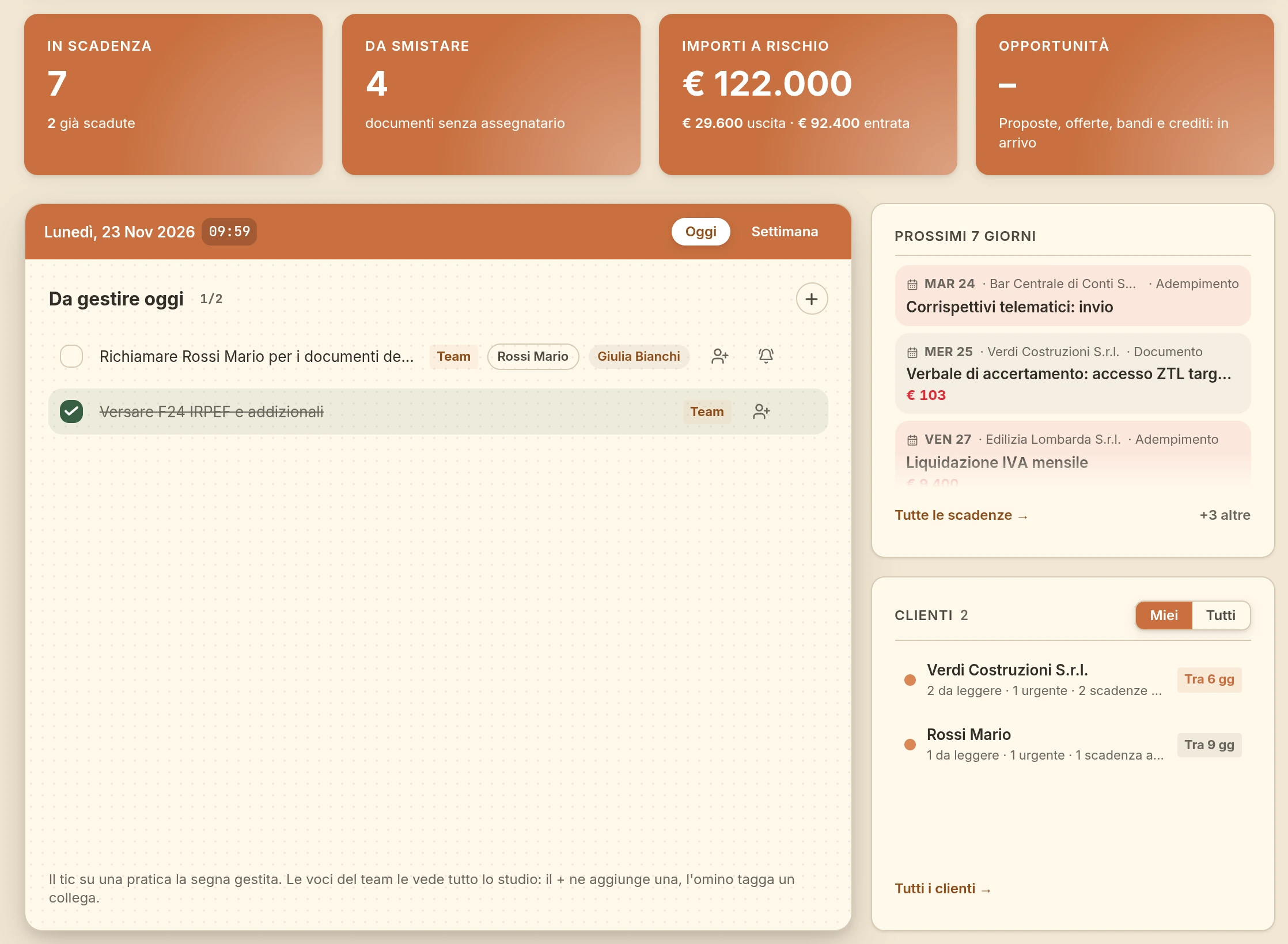
What changes compared with the individual plan
A context for the firm or the group
The firm, or the group, is a context of its own, chosen from the same selector as your personal A-ESP.
Roles and access per person
Admin, Manager, Editor, User and Guest. Whoever has access to a client or company works its matters; the User only reads.
Clients or companies, deadlines and assignments
Each client or company has a card, each deadline an assignee, and the owner sees the workload of the whole team.
Manual reminders
A reminder starts from a draft that you read and confirm. No reminder goes out on its own.
External clients or group companies: choose who you manage.
One plan covers both cases. When you create it you choose who you manage, and the interface speaks of clients or of companies. Data, access and permissions are the same.
- Professional firm: you follow your clients' mail, PEC and deadlines.
- Parent company: you follow the mail, PEC and deadlines of the group's companies.
- The owner can change the choice from the Administration settings.
The screens on this page show a professional firm: in a group, companies take the place of clients.
Chi gestisci
Decide come l’interfaccia chiama chi segui: clienti per uno studio professionale, società per un gruppo. Dati, accessi e permessi non cambiano.
Nell’interfaccia
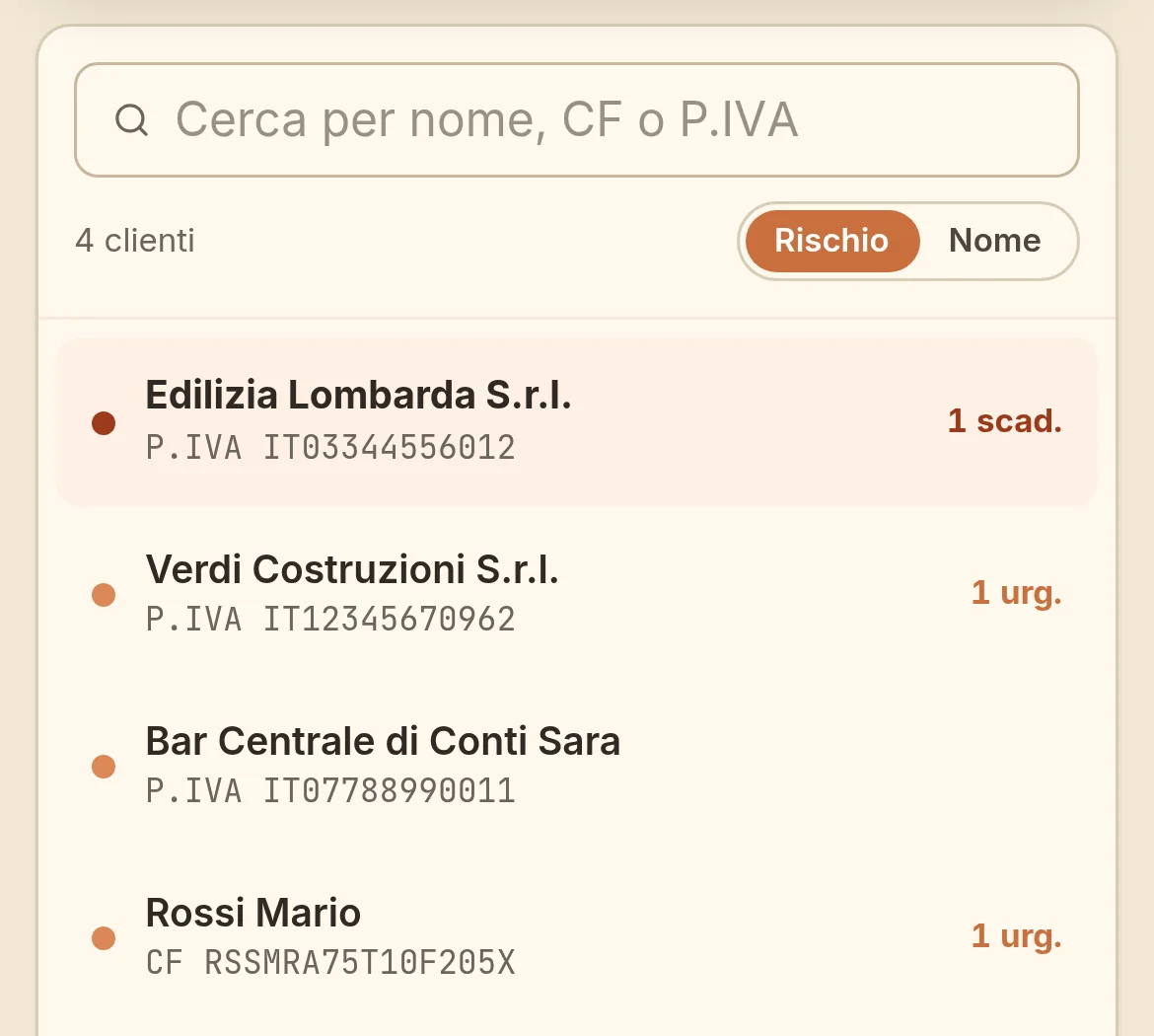
Clients or companies, sorted by risk or by name.
The list of the firm's clients, or of the group's companies, with overdue and urgent deadlines and who follows them.
- Sorting: by risk, with overdue deadlines at the top, or by name.
- Overdue and urgent deadlines, counted row by row.
- Who follows: the assignees of each one, with their avatar.
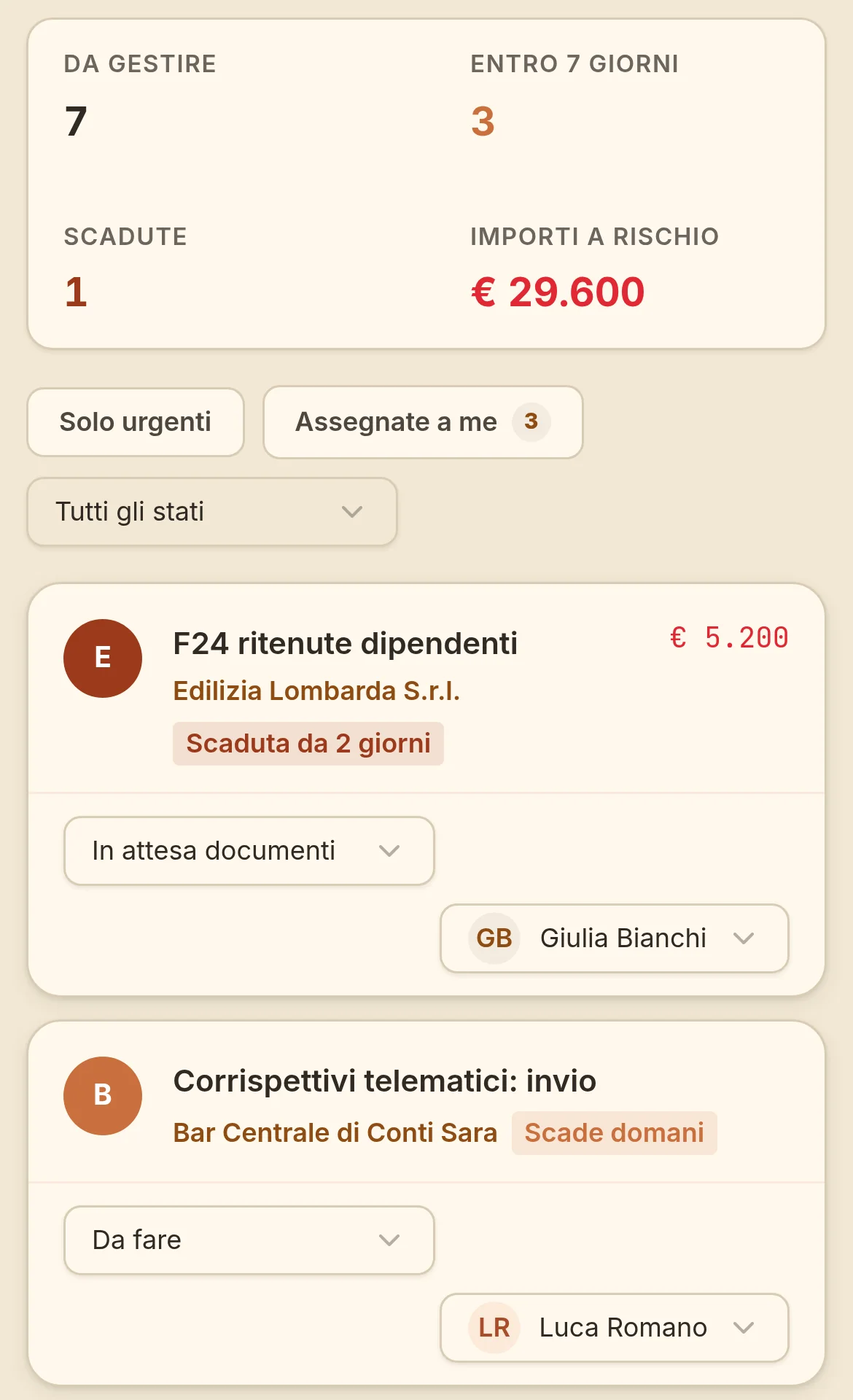
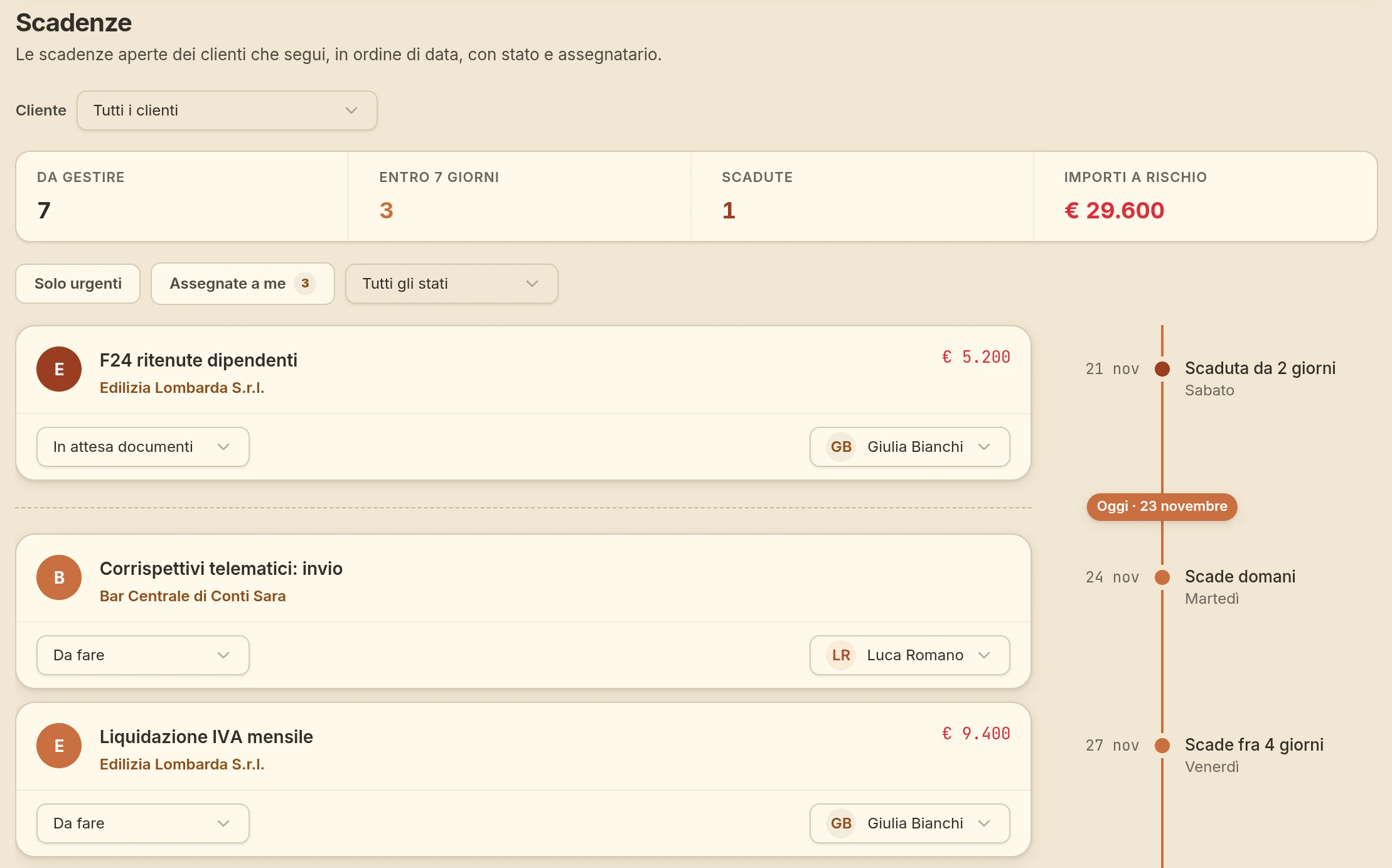
The deadlines of clients or companies, in order of date.
The schedule lists the open deadlines of all the clients or companies you follow, with status and assignee.
- Date order, with status and assignee for each deadline.
- Pick a client or company: the deadline plan of each, with the next occurrence.
- Templates: the owner creates custom deadlines and turns them on for each client or company.
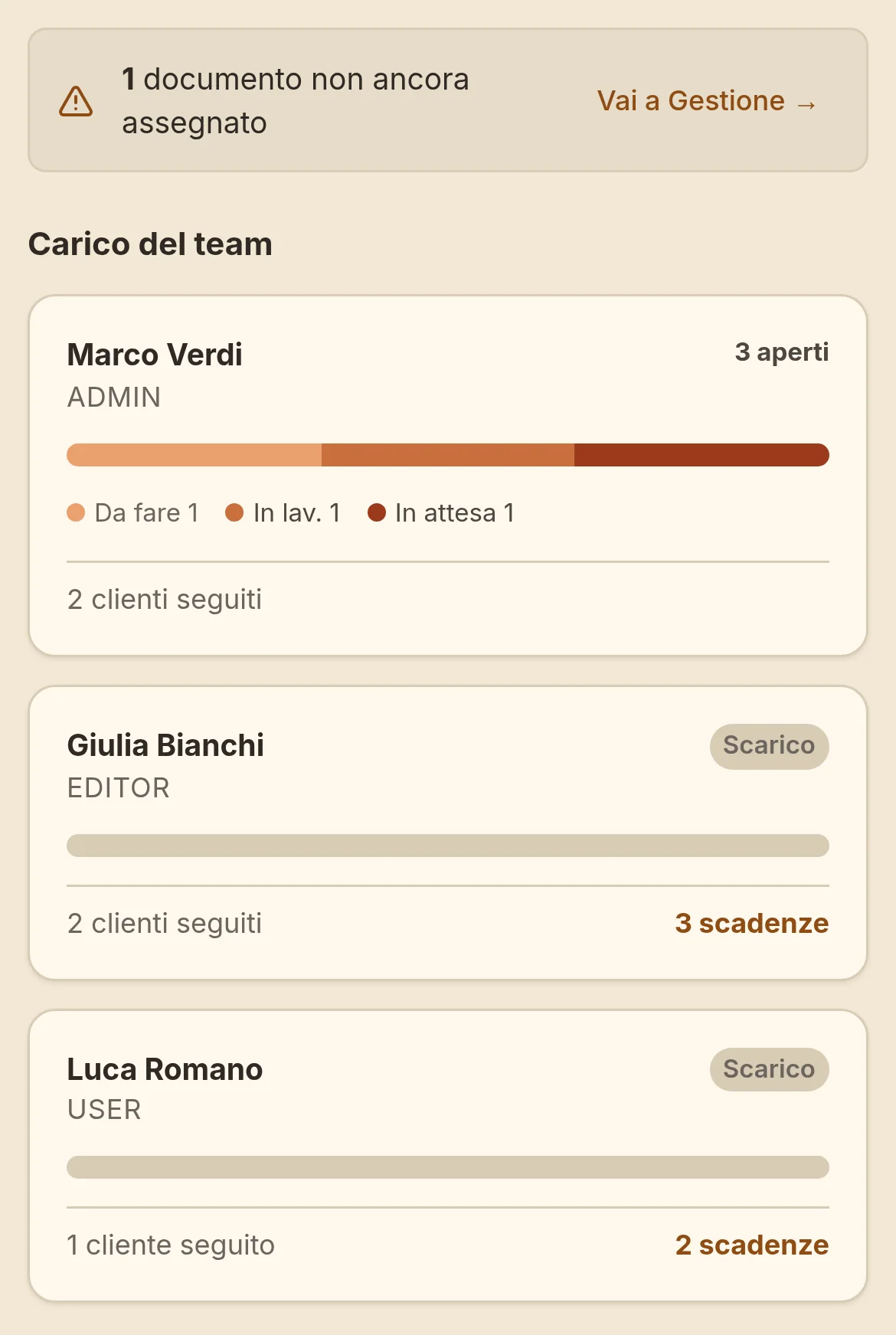
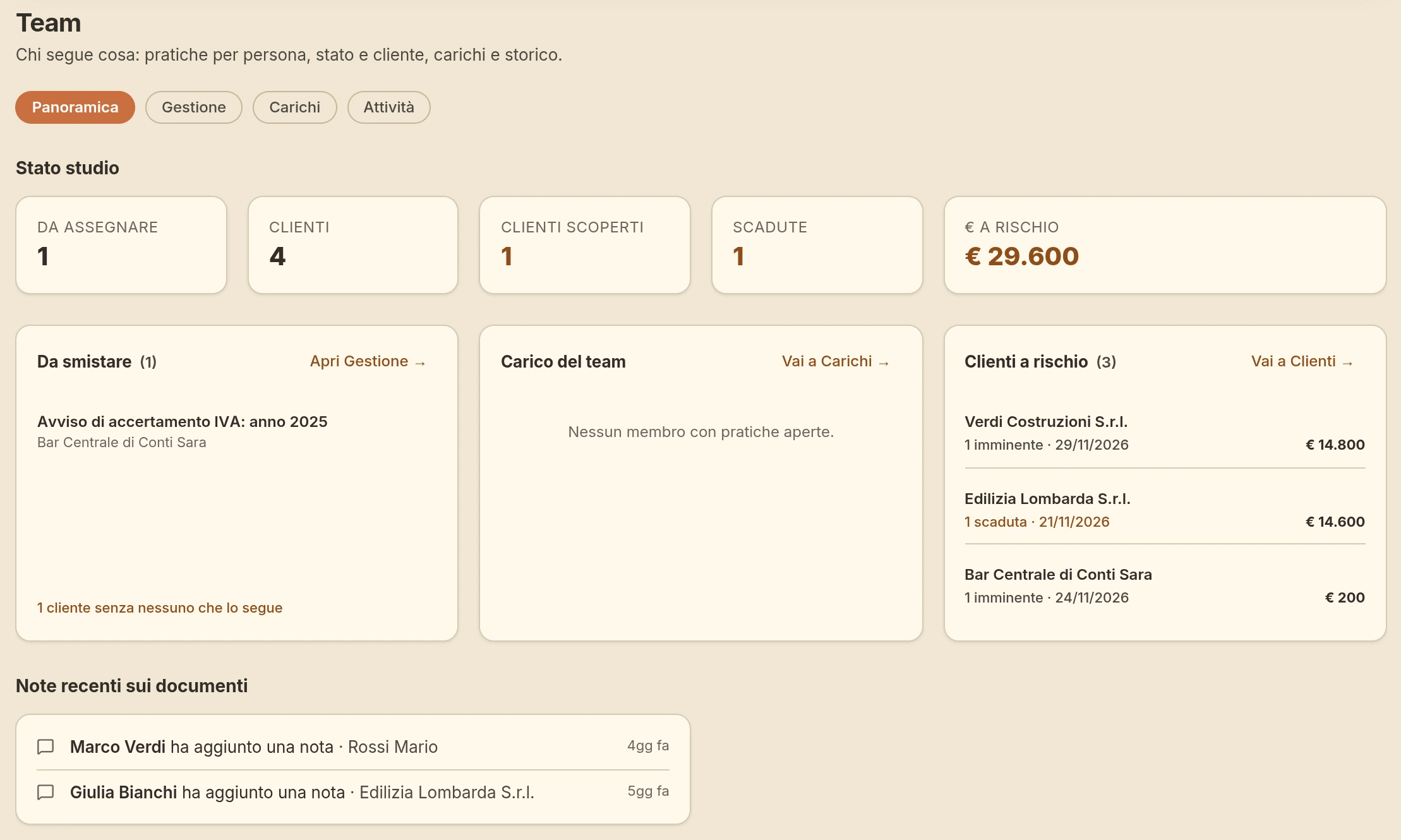
Who works, and with how much on their plate.
The Team page brings together overview, management, workload and team activity.
- Overview and Management: the team's matters, to triage and to follow.
- Workload: work per collaborator, visible to the owner.
- Team: the working groups, visible to whoever manages the team.
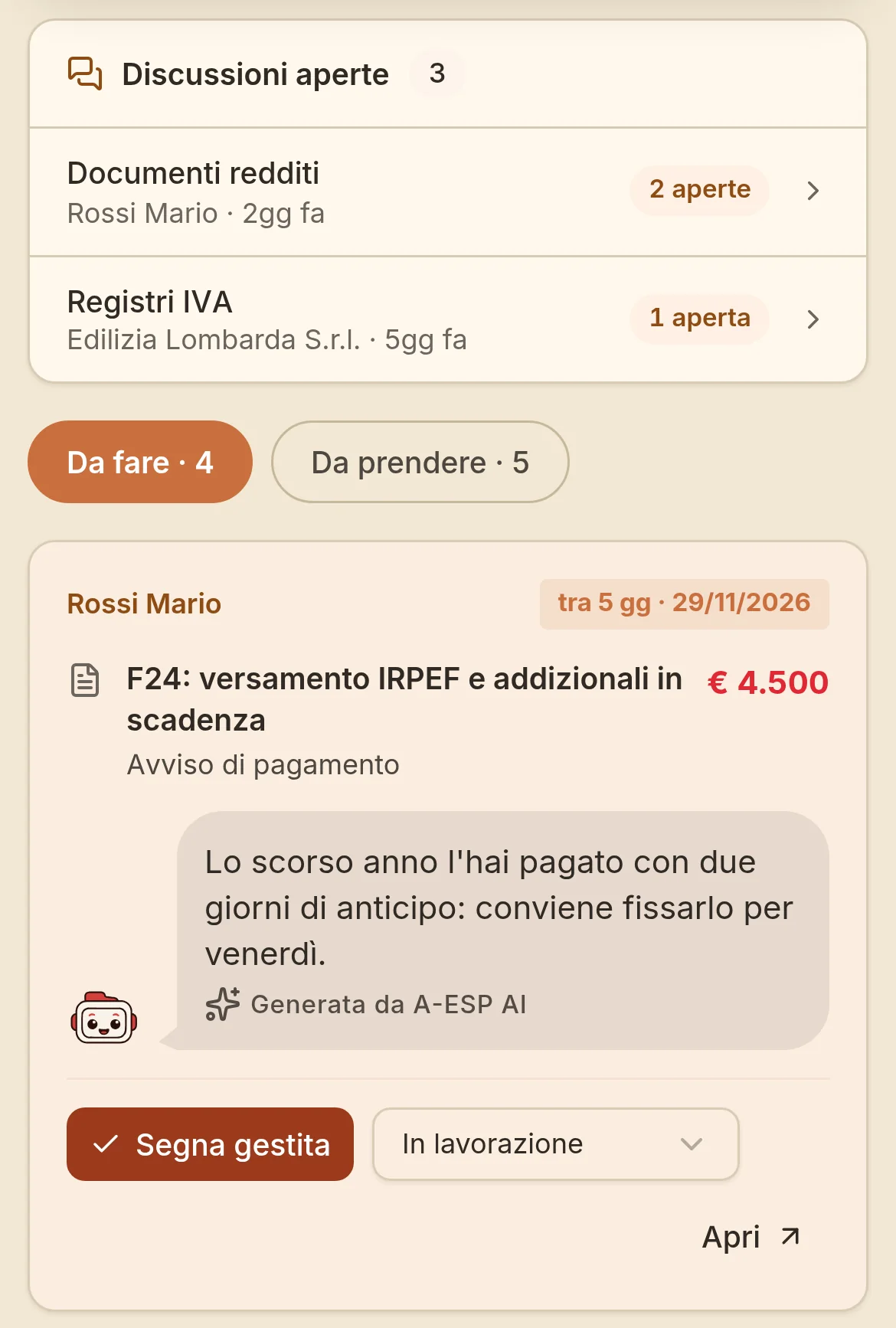
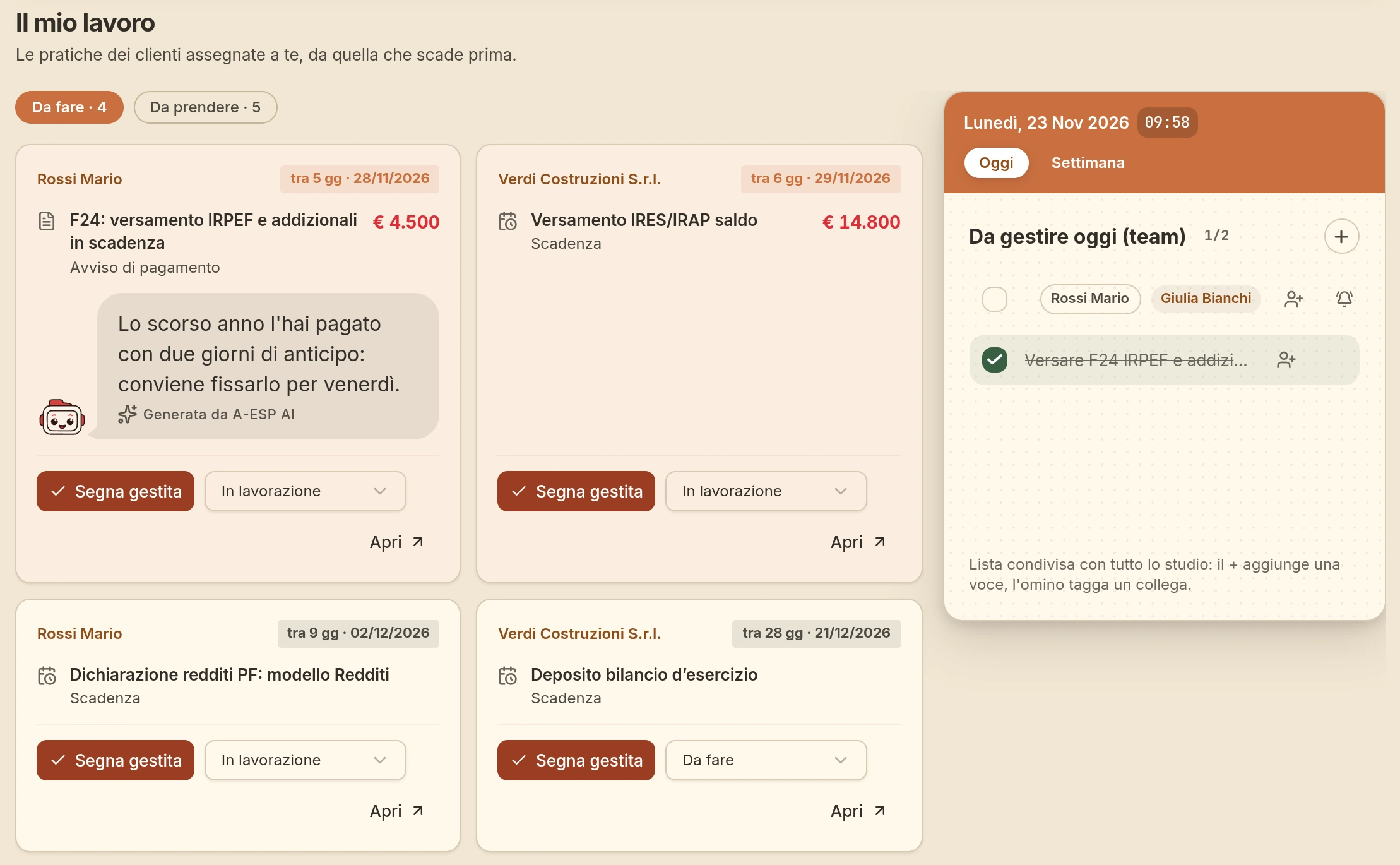
The matters assigned to you, starting with the one that is due first.
Each collaborator sees the matters assigned to them, for clients or companies, in order of deadline.
- Deadline order: the nearest matter is at the top.
- Today and Week: the same list, over two periods.
- Matter status: to do, in progress or completed, with the change recorded.
People, access, deadline schedule and settings in one place.
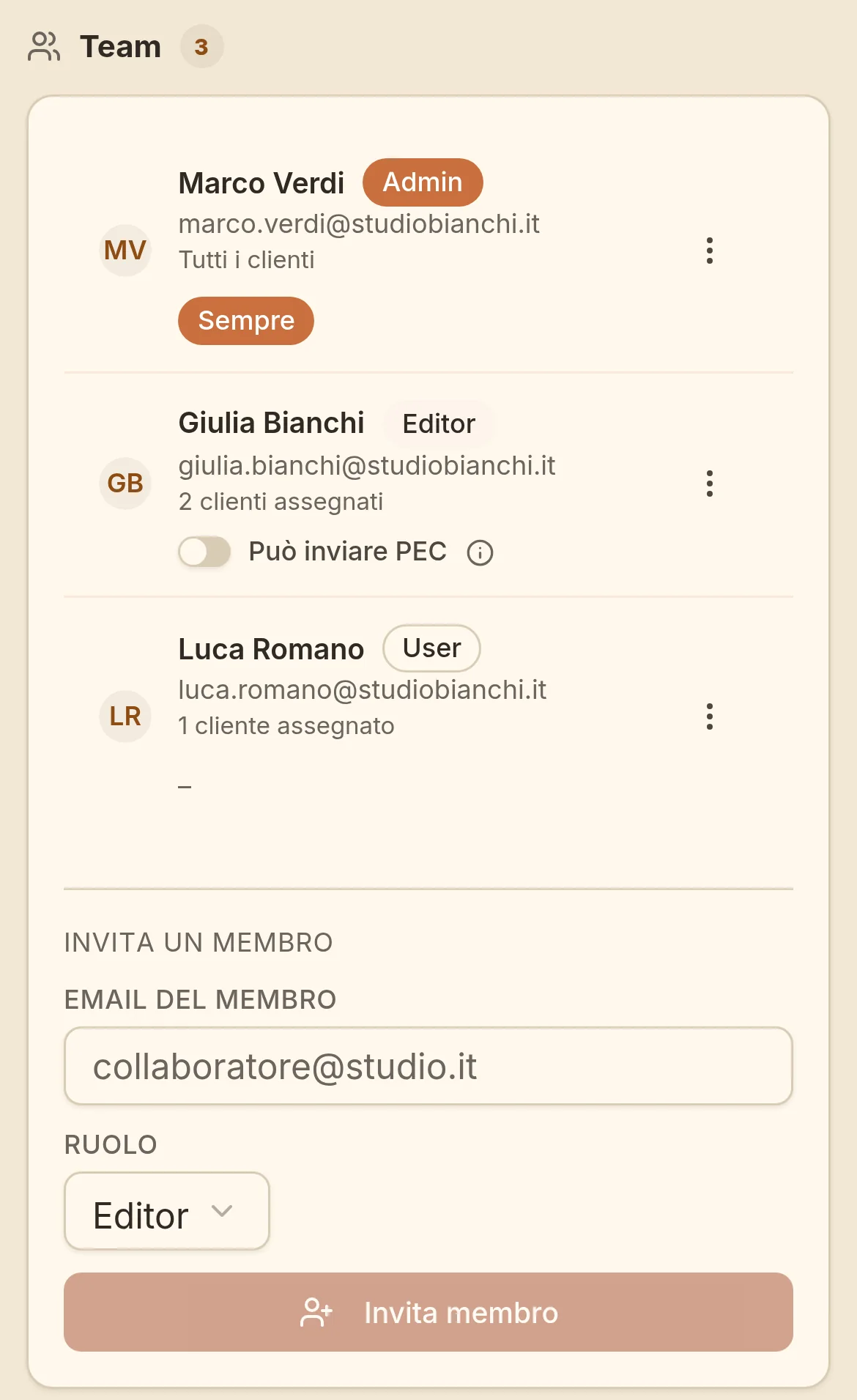
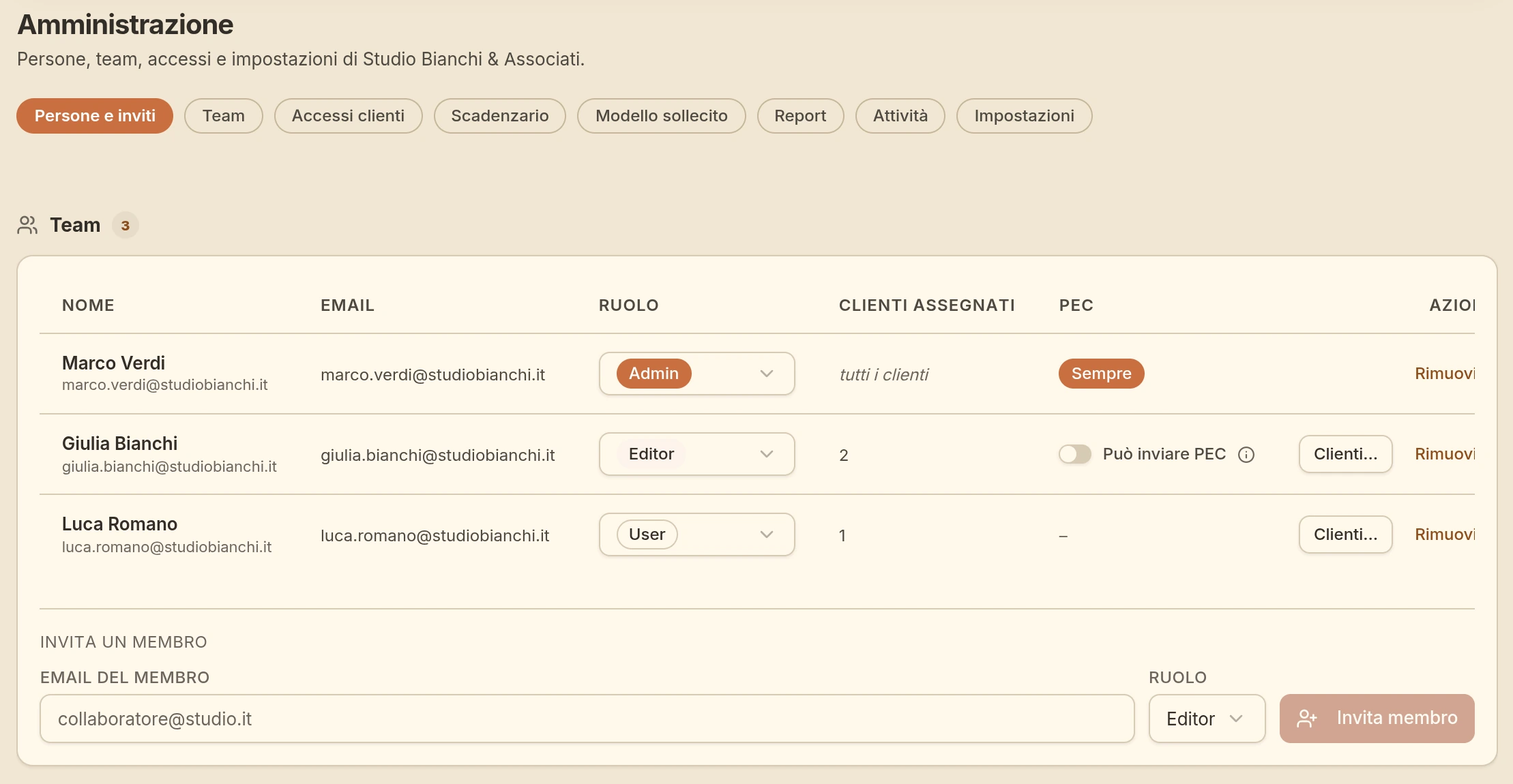
Administration is reserved to the owner, with its management tabs.
- People and invitations: the collaborators, each with their role.
- Client access: who can open which client's area.
- Reminder template, deadline schedule, reports, activity and settings.
And more
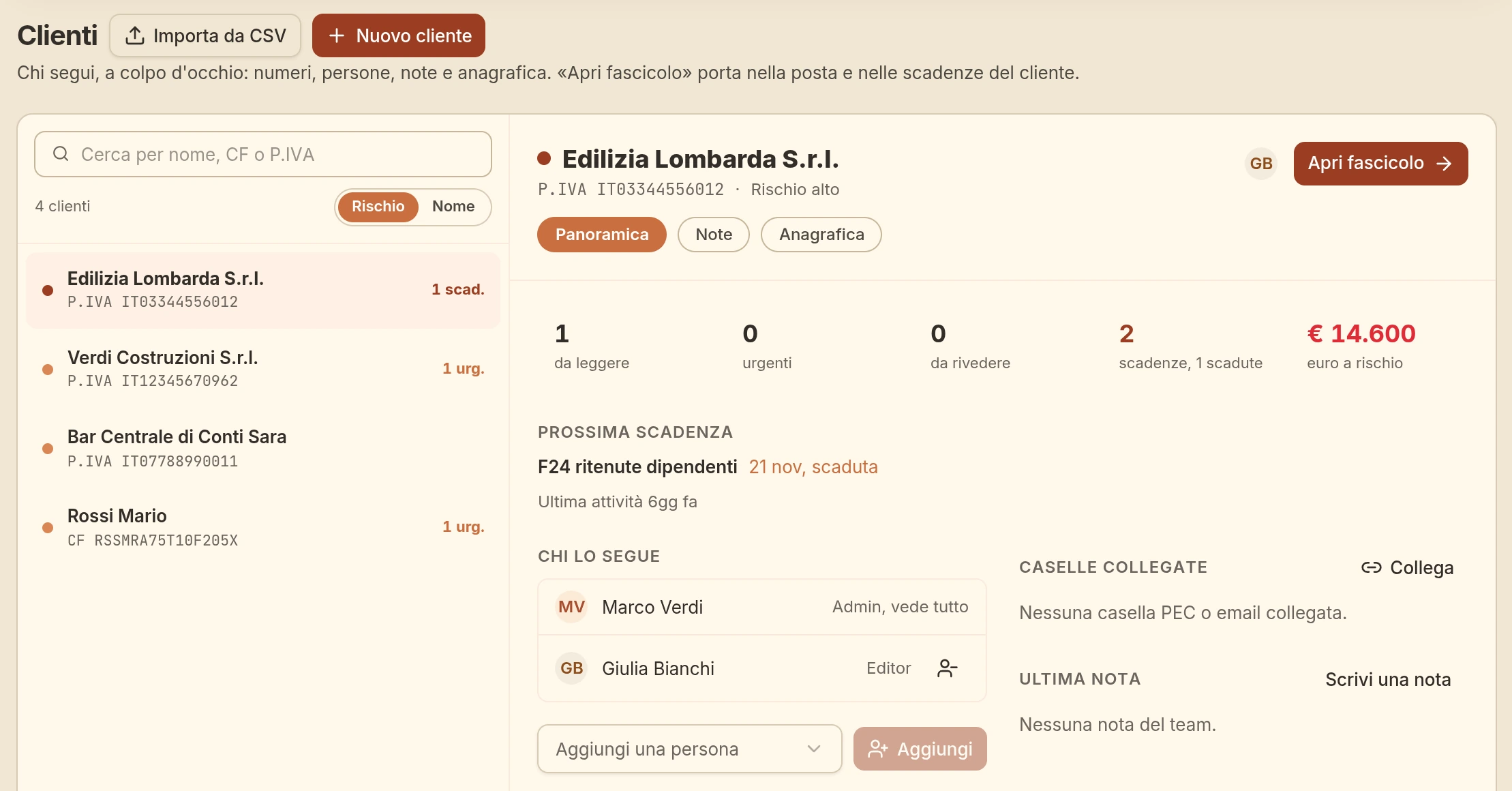
Client card
A card for every client or company.
Each client or company has a card with three inner tabs: overview, notes and details.
Reminder to the client
A reminder to a client goes out only with your click.
Komo proposes a reminder draft for the client. The draft is visible before sending, and the reminder goes out only with your confirmation.
Client area
The client sees their own deadlines, not those of others.
A client with access opens their own area, with their open matters, deadlines and the team that follows them.
Documents and guarantees for the firm.
For the data of the firm's clients, A-ESP acts as data processor: the data processing agreement (DPA) forms part of the contract.
Documents available in Italian.
Studio: price on quote.
The quote takes into account:
- the collaborators and their roles;
- the clients or companies to manage: the base plan sets no number, the quote defines it;
- the email mailboxes and PEC: the base plan includes 7 mailboxes and 3 PEC, which the quote can change.
from €99.99 per month + VAT, on quote
Personal and Professional are bought online, with a 30-day free trial. Business and Studio are defined with a quote.
With the year paid upfront the discount is 20%. If you activate Business and Studio together, with at least 3 Business seats, a further 15% applies to the whole amount.
Request a quote or a demo
Tell us how you work: people, mailboxes and PEC. We reply by email, with the proposal or the demo.
- 1You fill in the formRough numbers are enough: people, mailboxes and PEC.
- 2We reply by emailTo the address you give, with the proposal or with the date of the demo.
- 3You decideThe quote does not bind you until you accept it in writing.
from €99.99 per month + VAT, on quote
Prefer to write? info@a-esp.io
You fill in the form with people, mailboxes, PEC and the clients or companies to manage. The reference price is shown at the top of this page, and the quote defines it.
A tailored quote, answered by email.
Fill in the form or book a demo. We reply by email to the address you give.